
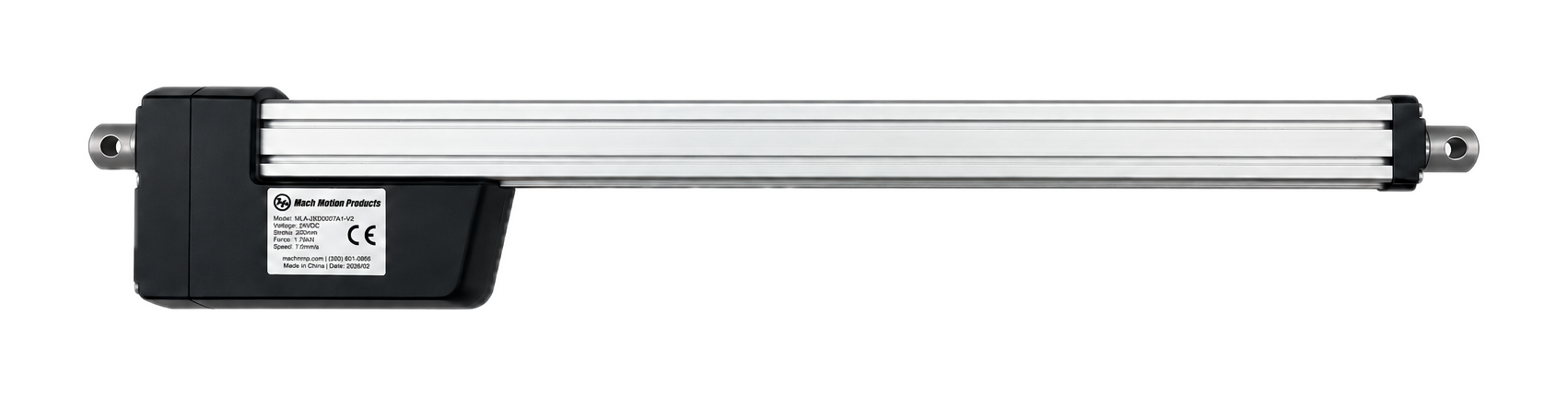
Custom actuators
- Stroke
- Custom
- Load
- Per application
- Speed
- Per application
Confirm your selected specifications with Mach for this custom build.
NMRV worm gearboxes for right-angle speed reduction. Compare ten catalog sizes, then confirm the ratio, output bore and motor connection.
Missing values need confirmation; they do not establish a mismatch.
Confirm your selected specifications with Mach for this custom build.
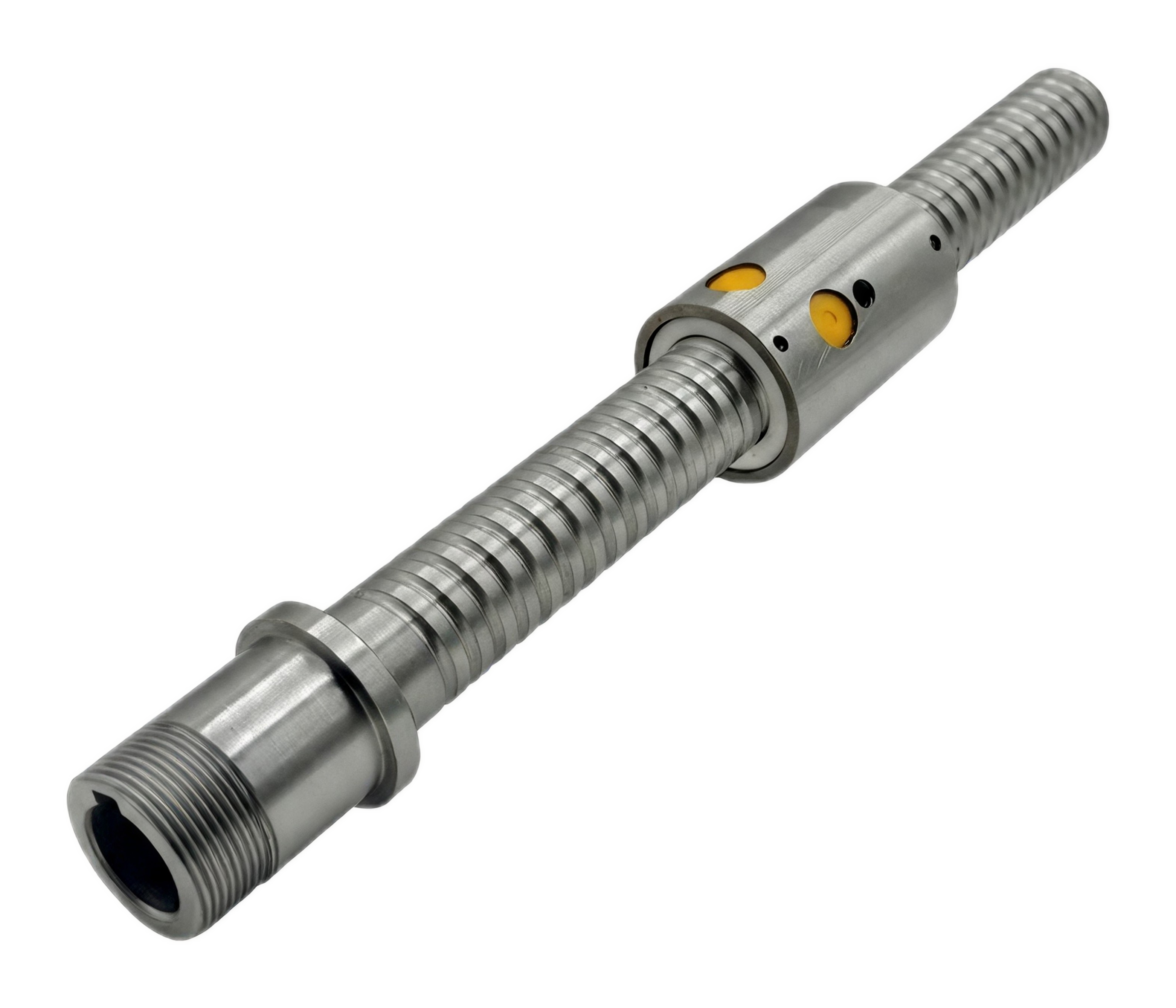
Confirm your selected specifications with Mach for this custom build.
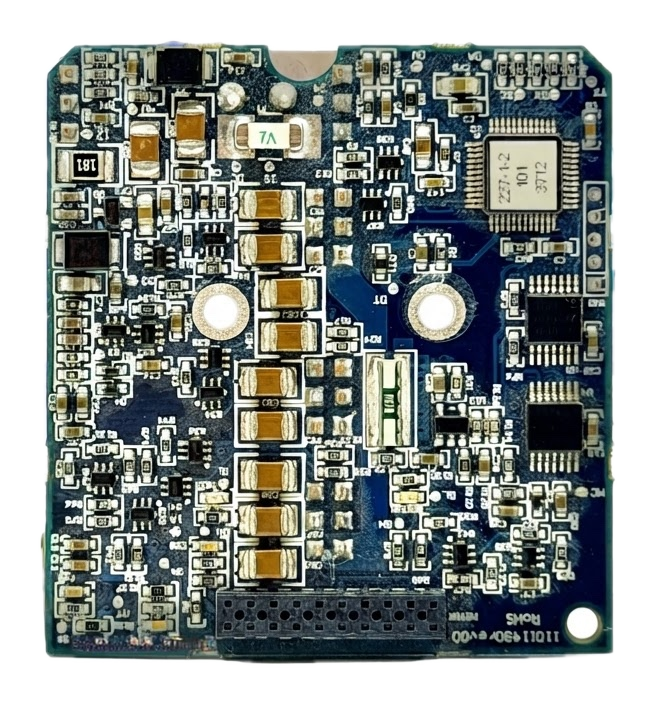
Confirm your selected specifications with Mach for this custom build.
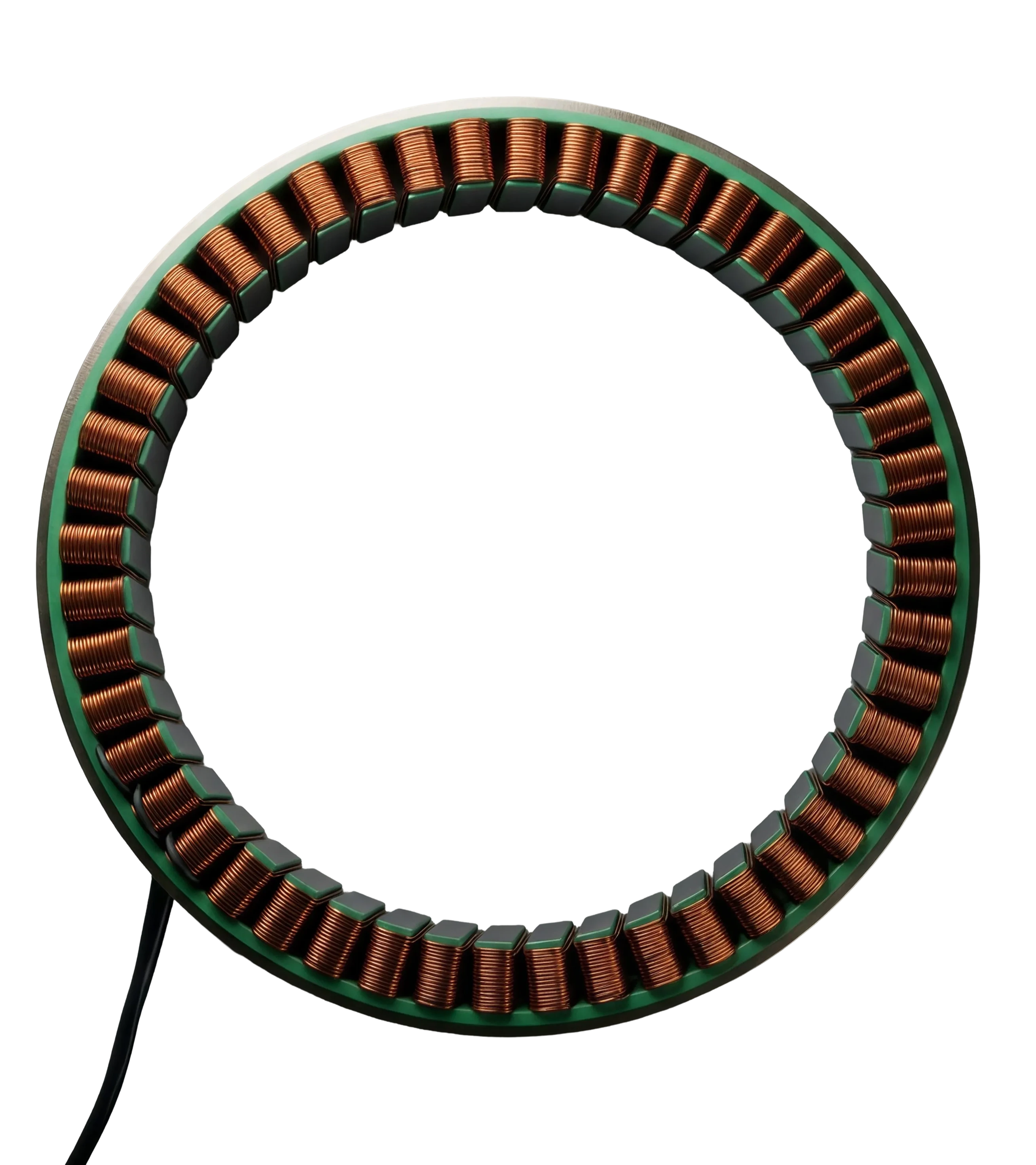
Confirm your selected specifications with Mach for this custom build.
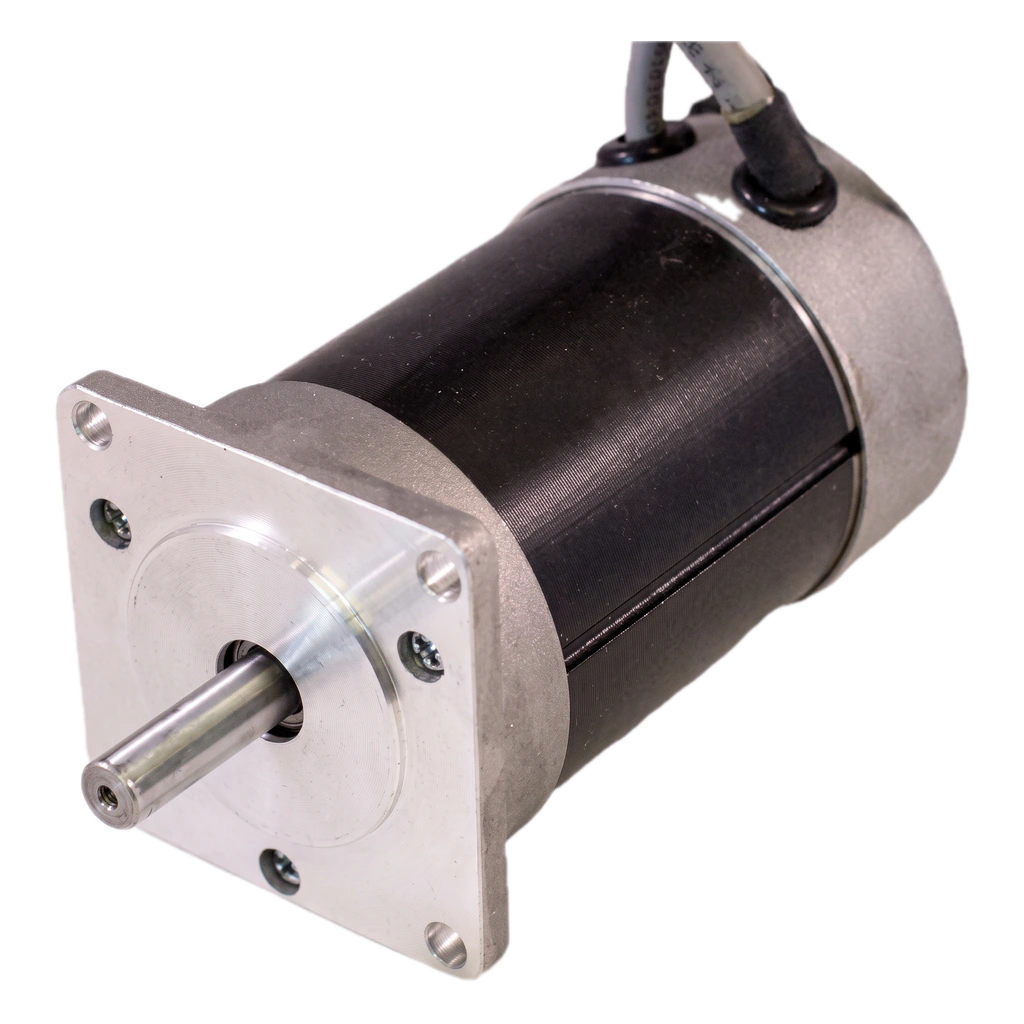
Confirm your selected specifications with Mach for this custom build.
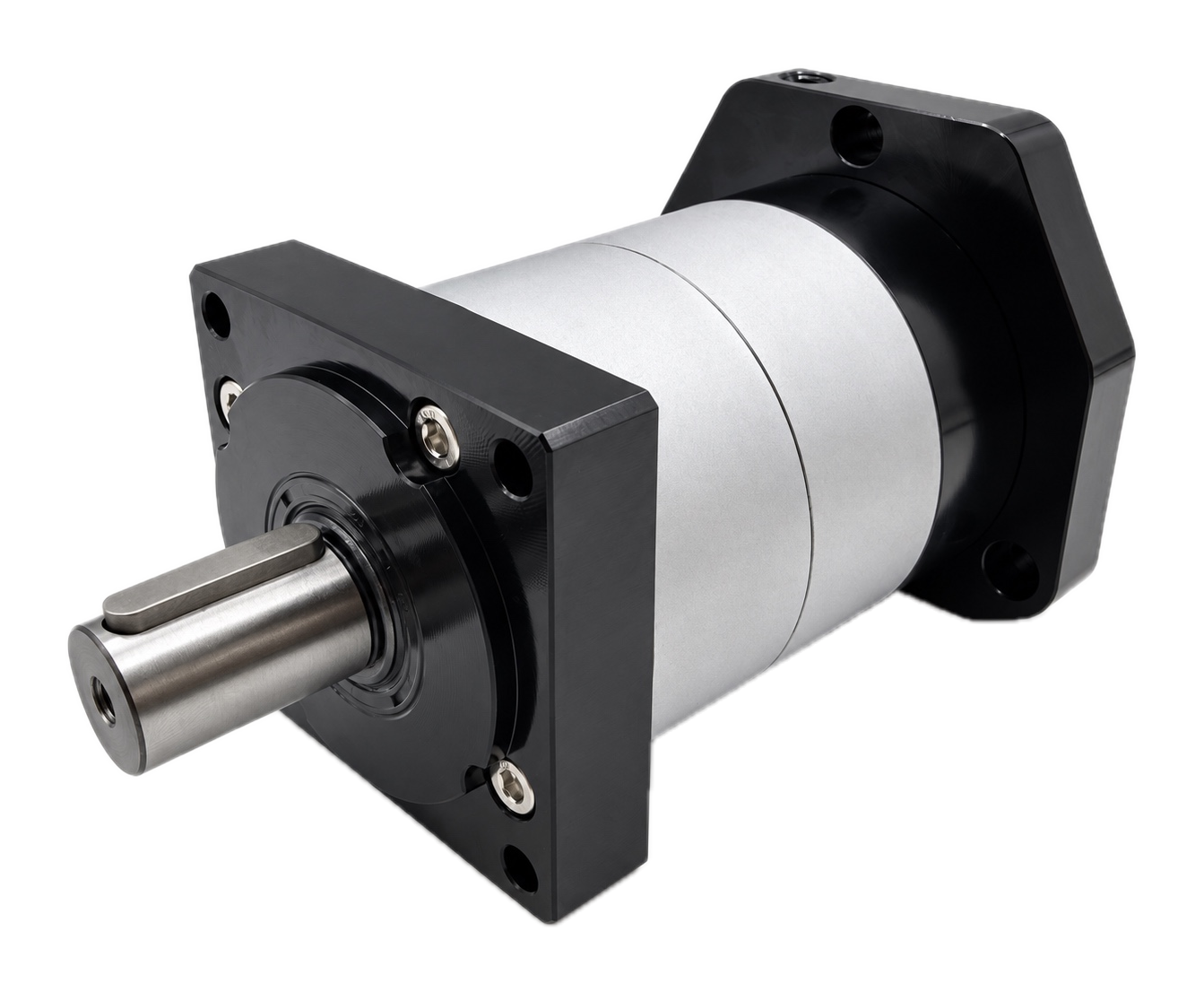
Confirm your selected specifications with Mach for this custom build.
Confirm the exact configuration, application and availability with Mach. Browse stocked components →
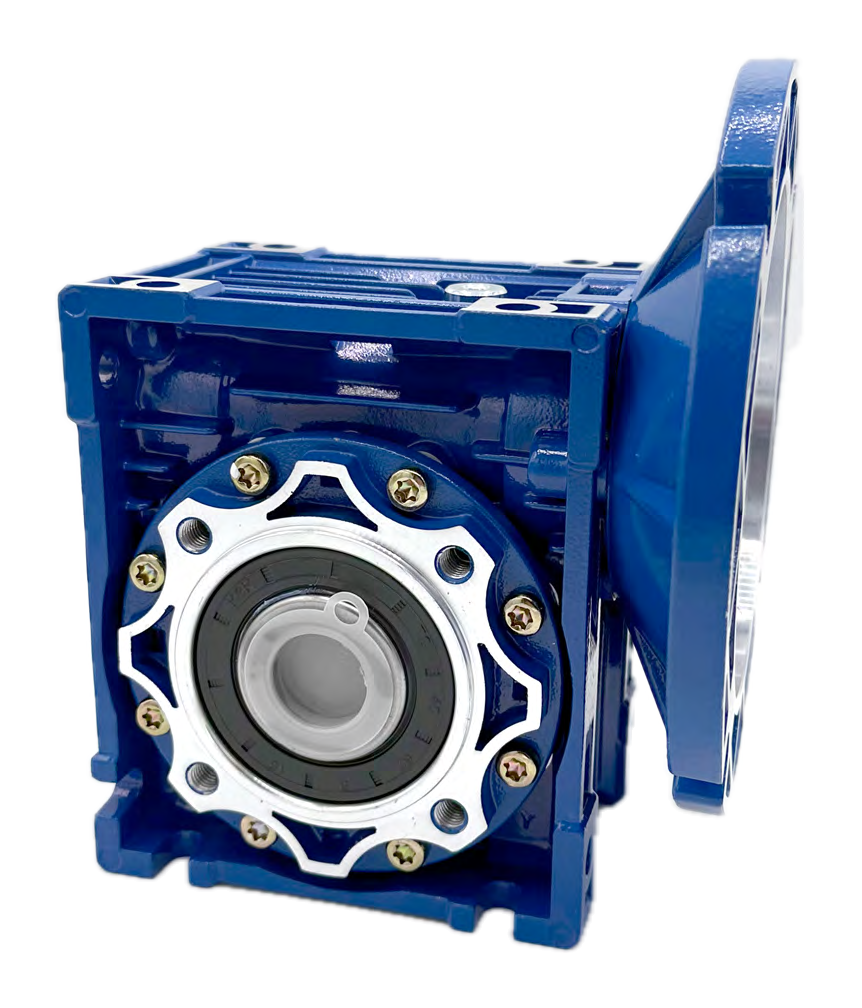
NMRV series / Gearboxes
Worm gear units with a motor input flange. The catalog also covers NRV shaft-input versions and optional output shafts and flanges.
Mach will confirm your ordering part number, price and availability.
01 / Family specifications
Ratios are discrete catalog options. Not every ratio and motor interface is available in every size.
Start with the output bore and housing size, then select a ratio and motor flange from the catalog. A size code alone does not establish the available torque or motor fit.
Scroll across for all specifications →
| Catalog model | Housing | Output bore D (F8)mm |
|---|---|---|
| NMRV025View model | Aluminum alloy | 11 |
| NMRV030View model | Aluminum alloy | 14 |
| NMRV040View model | Aluminum alloy | 18 (19) |
| NMRV050View model | Aluminum alloy | 25 (24) |
| NMRV063View model | Aluminum alloy | 25 (28) |
| NMRV075View model | Aluminum alloy | 28 (35) |
| NMRV090View model | Aluminum alloy | 35 (38) |
| NMRV110View model | Cast iron | 42 |
| NMRV130View model | Cast iron | 45 |
| NMRV150View model | Cast iron | 50 |
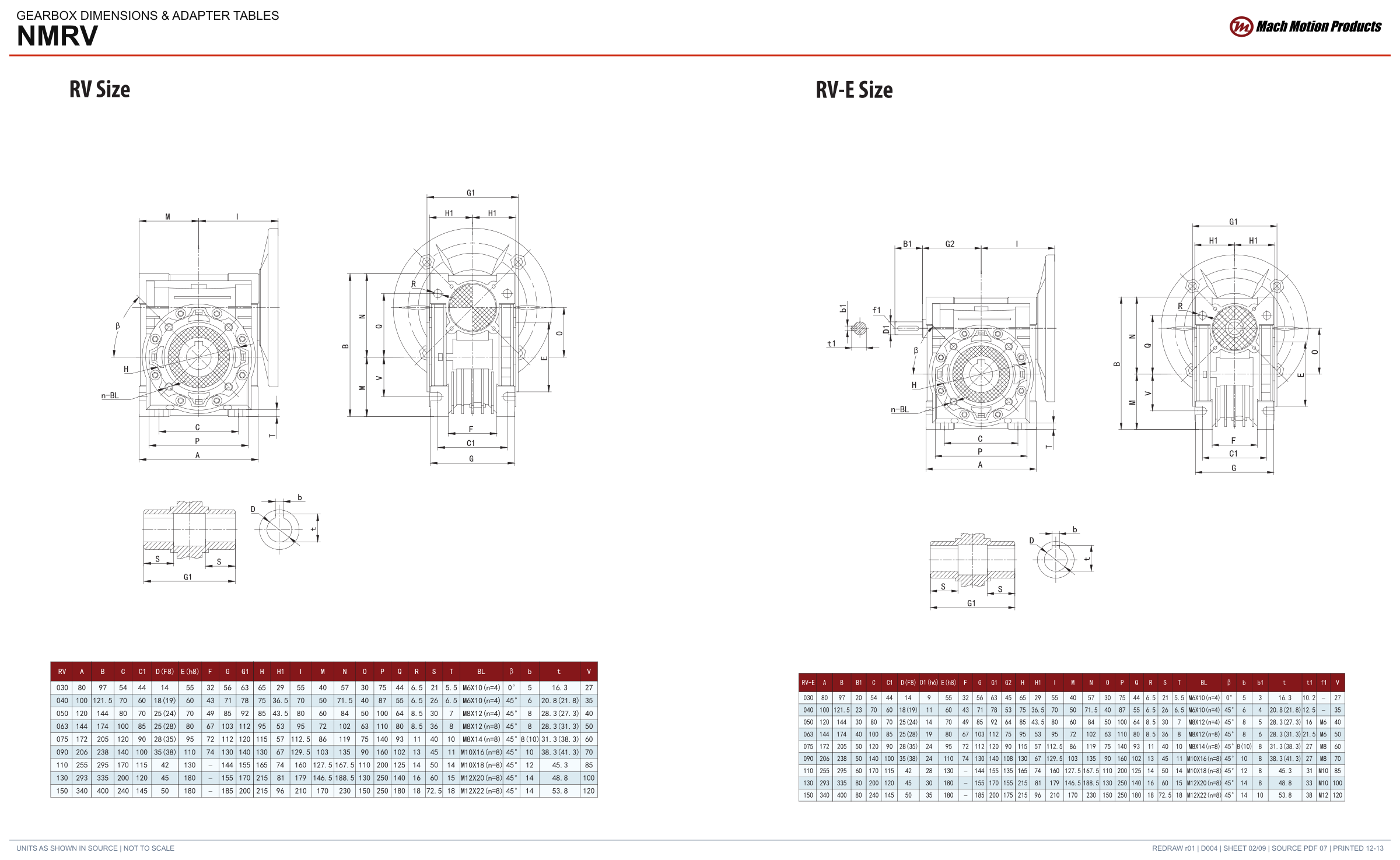
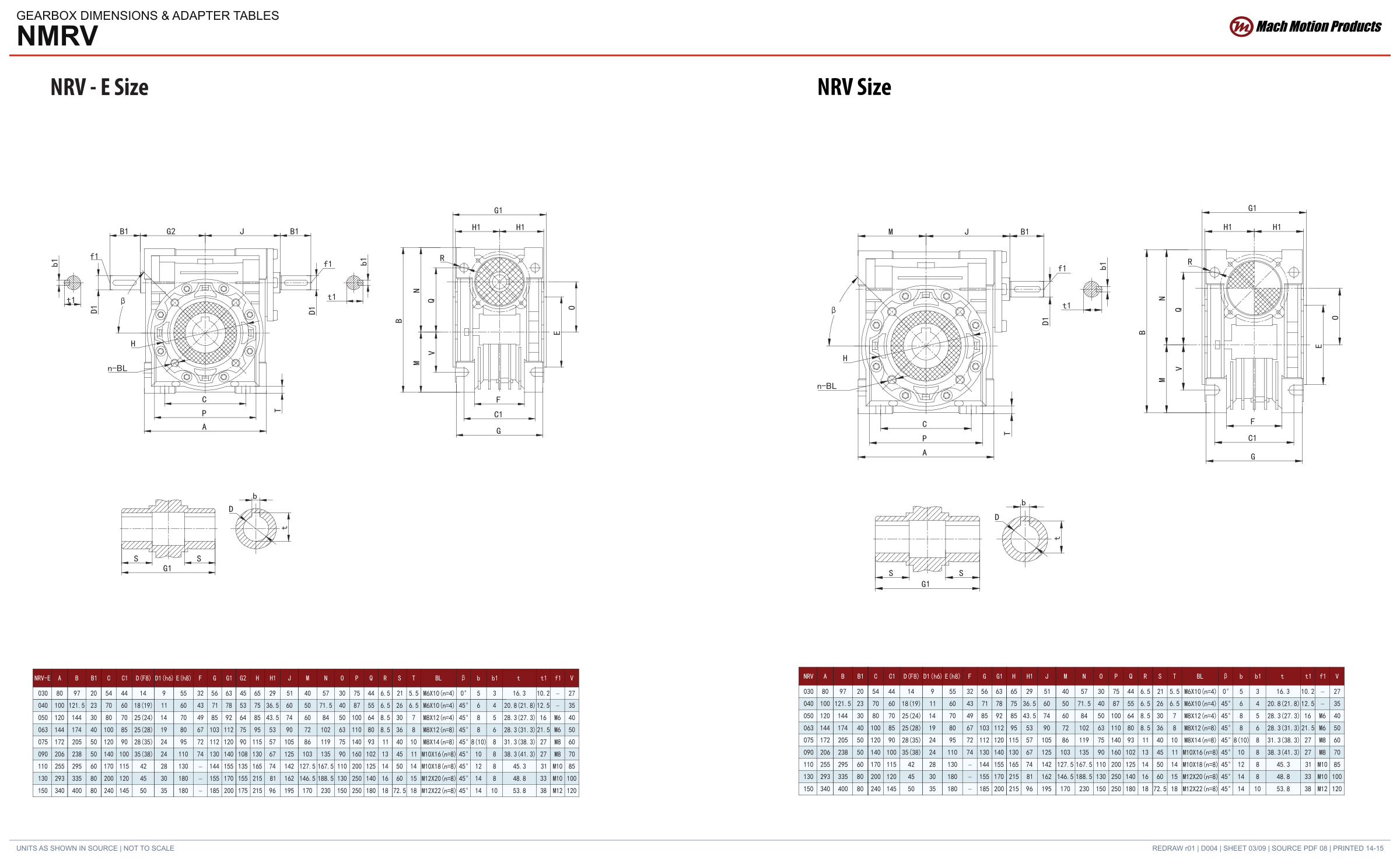
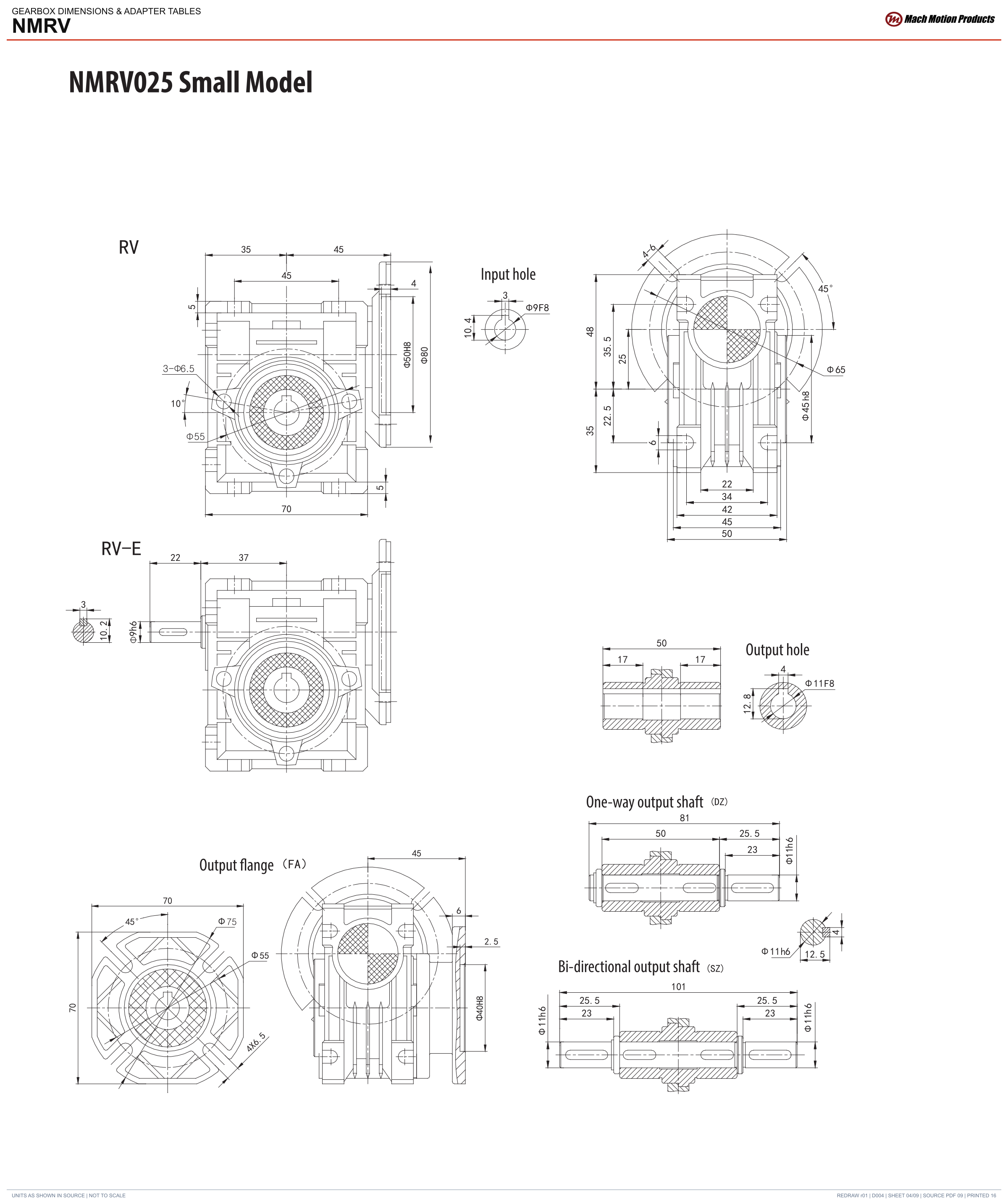
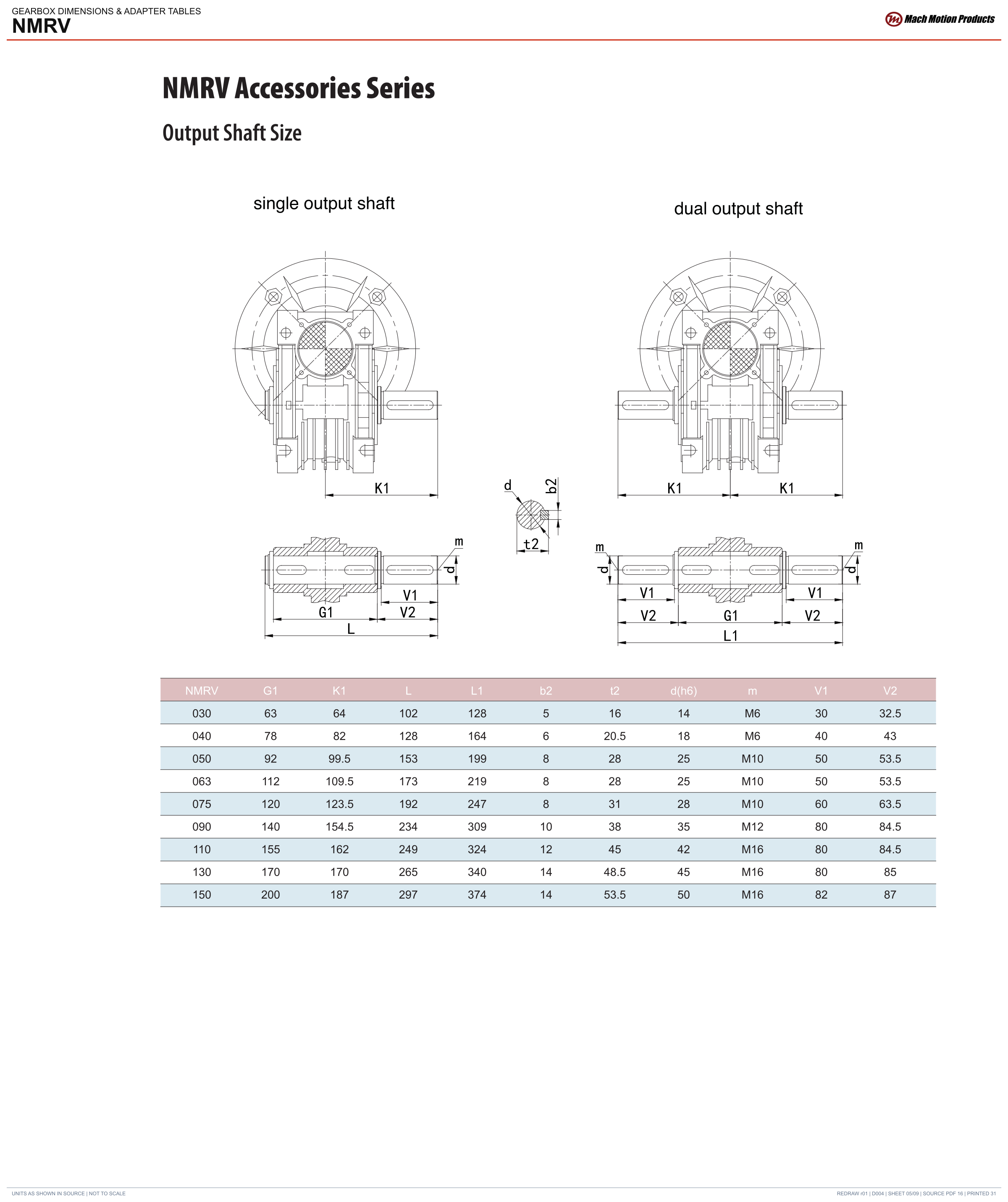
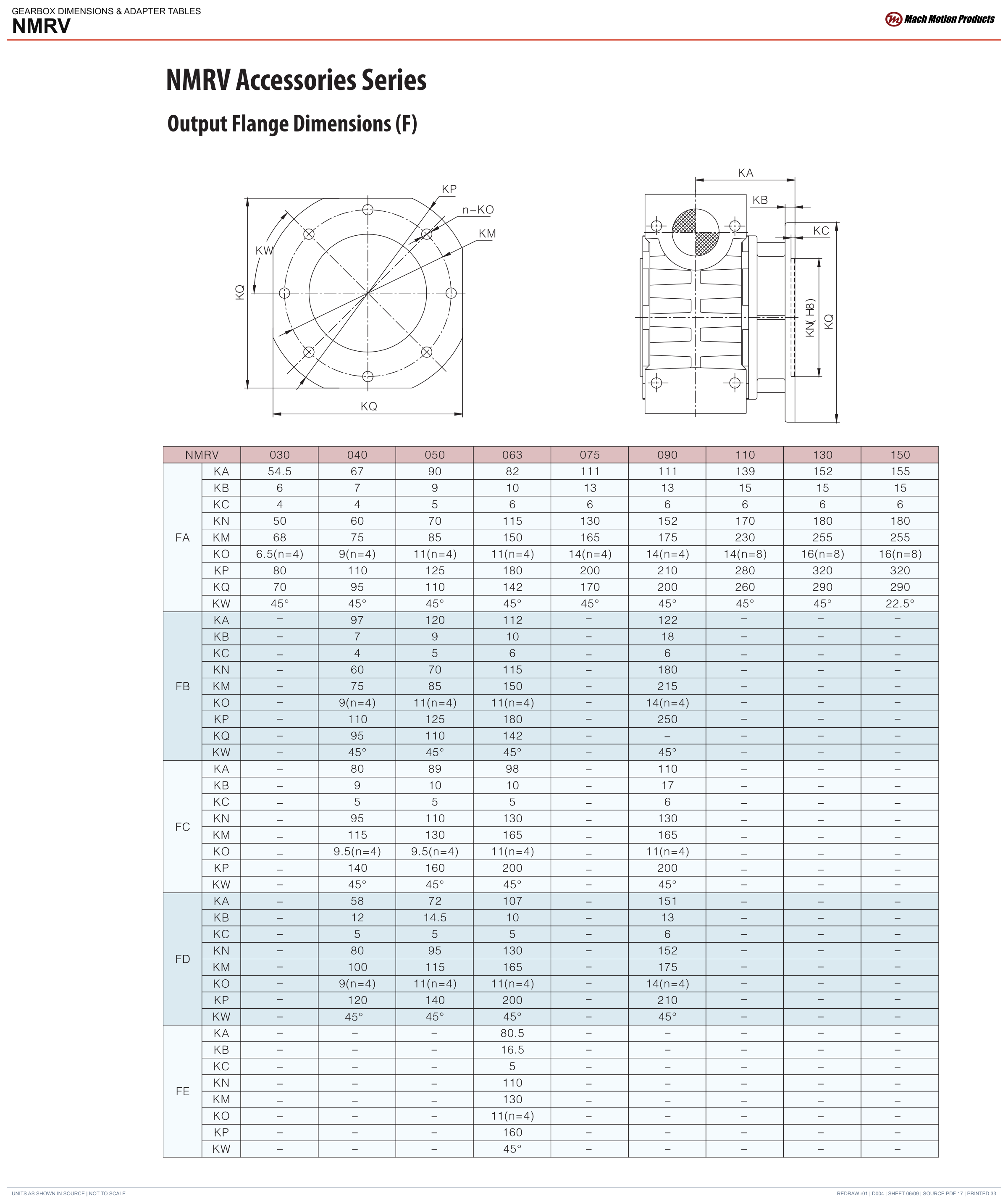
Parenthetical bore values are reproduced as listed in the catalog. Confirm the required bore and ordering configuration with Mach. The linked drawings include the mounting, keyway and flange dimensions.
02 / Drawings
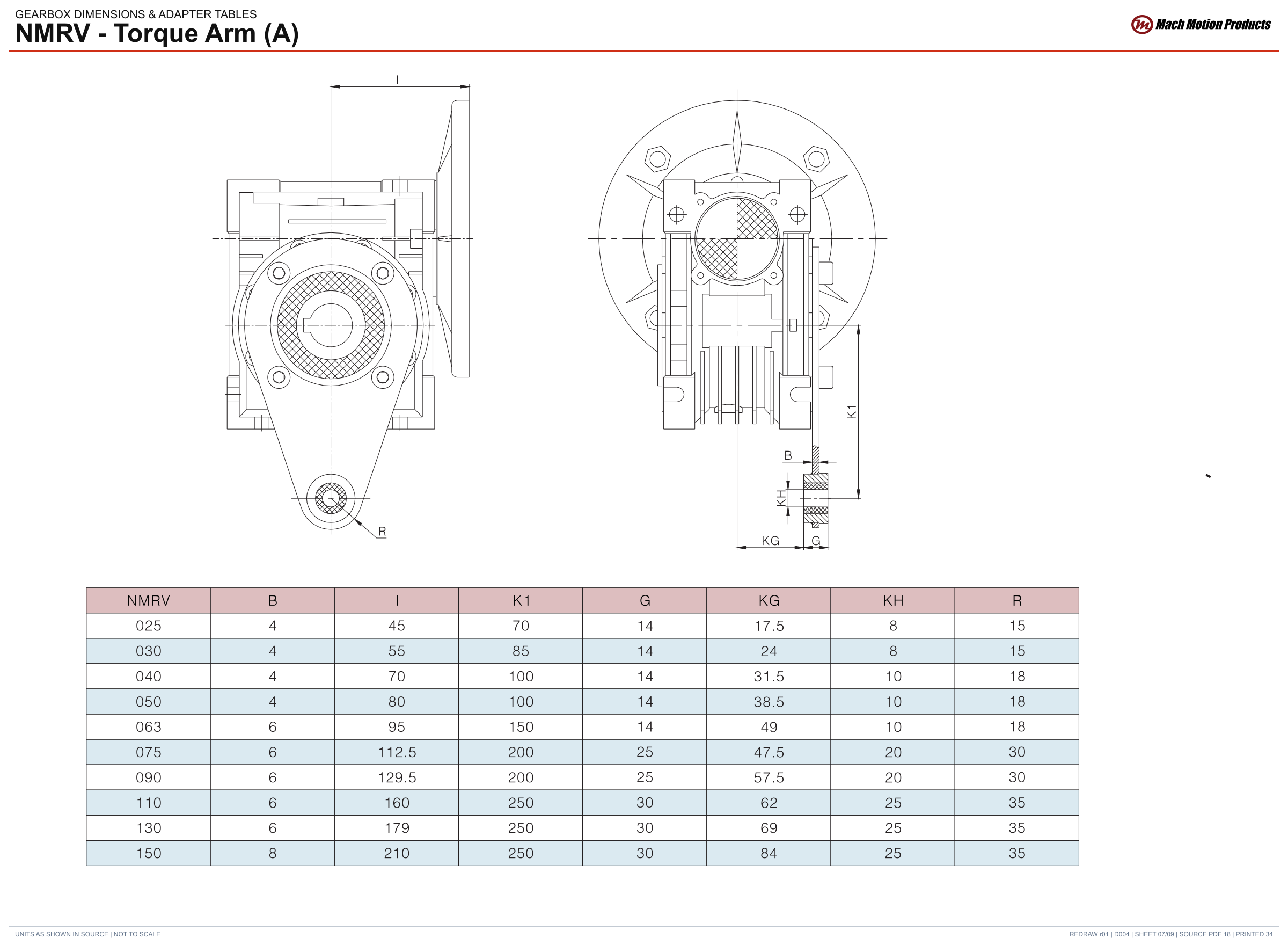
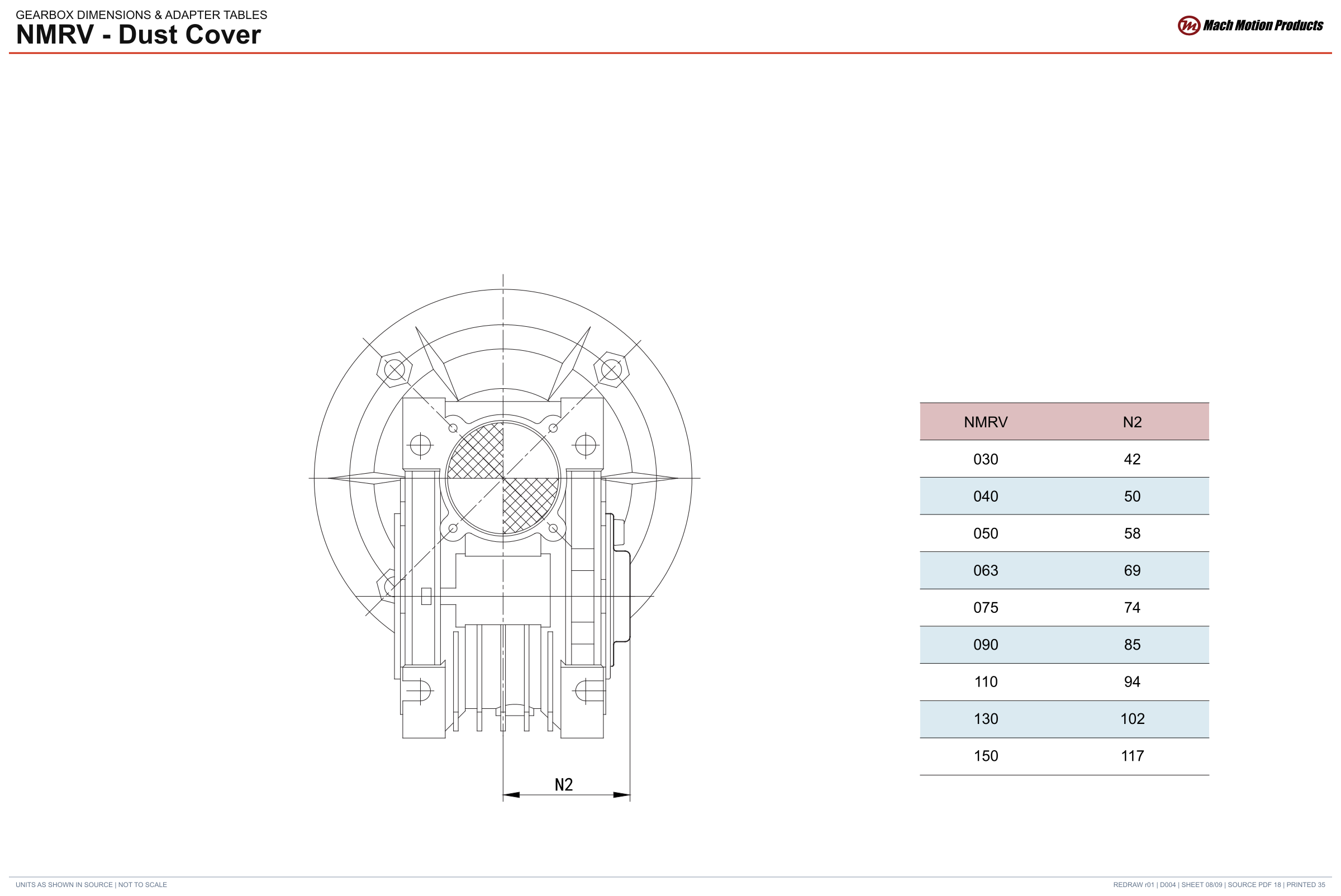
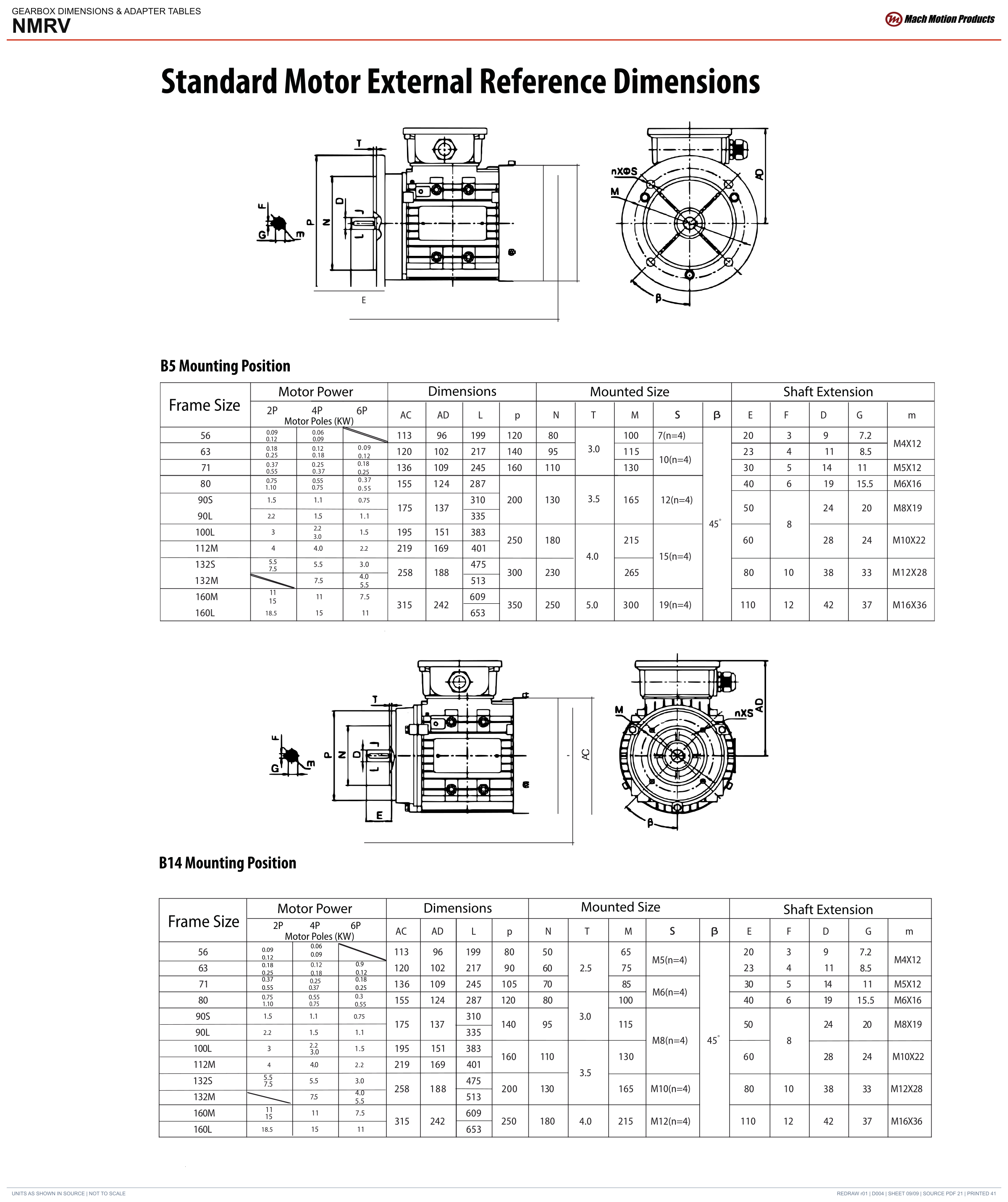
Review the mounting, shaft and motor connection in the catalog. Open a model from the specifications for its details and dimensional drawing.
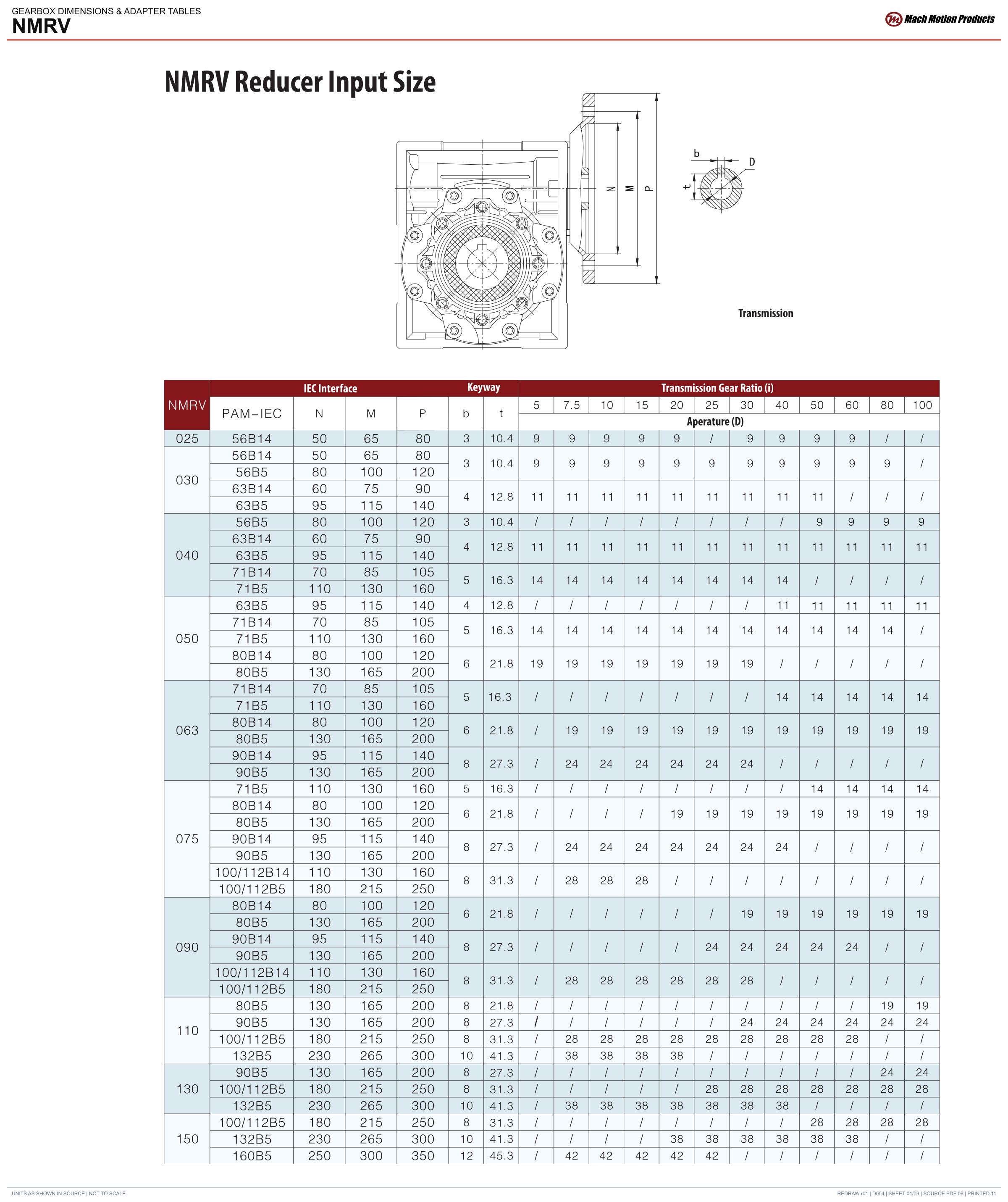
03 / Downloads
Complete approved drawing sheets and reference tables.
PDFWorm gearbox sizes, motor interfaces, ratings, shaft and flange options, installation and lubrication.
PDFSend your drawing or tell us what needs to change. We’ll help you work through the options.